
Know what's in your kitchen. Cook more. Waste less.
Grocera uses AI to turn your grocery receipts into a smart pantry, flag what's about to expire, match recipes to what you already have, and answer your kitchen questions through Gro.
Now in beta on iPhone. Join to get a TestFlight invite.
Target · $86.00
9 items detected
Ready to review
Dutch Baby
Uses 5 items you have
Most grocery apps start with a list. Grocera starts with what you already bought.
The real problem isn't making a list — it's not knowing what's already in your kitchen. Grocera fixes that first.
You forget what you already bought
Food expires before you notice
Receipts get tossed and forgotten
You buy duplicates of things you have
Deciding what to cook is hard without knowing what's home
From receipt to recipe in four steps
Grocera connects your grocery purchases to your kitchen, so you always know what you have and what to make.
Scan your receipts
Upload or scan grocery receipts and Grocera extracts the items for review.
Build your smart pantry
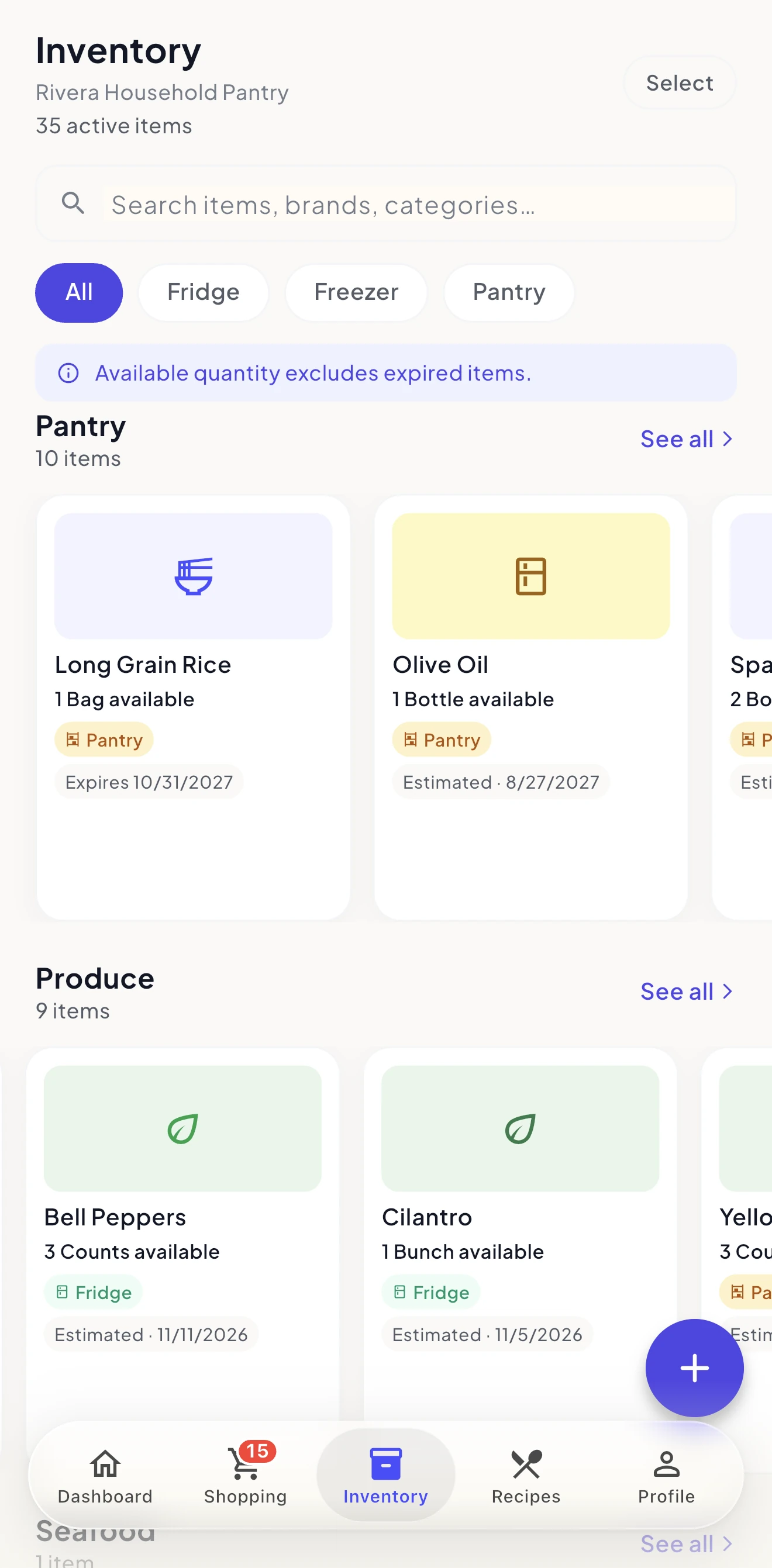
Approved items are added to your inventory with quantities, categories, storage locations, and expiration estimates.
Cook with what you have
Get recipe ideas based on ingredients already in your kitchen.
Shop smarter next time
Add missing recipe ingredients to your shopping list and share it with your household.
A smarter kitchen, built in
Six intelligent tools that work together, so you waste less and cook with what you have.
Receipts into inventory
Snap a receipt and Grocera's AI reads every line, identifies each product, and sorts it into a category. Review it, add it to your pantry, and fix a name once so Grocera remembers it next time.
Know what you have
Everything is organized by category, storage, and quantity, and a Kitchen Health score shows how well you're using what you bought.
Use food before it goes bad
Smart expiration estimates based on the type of food and where you keep it, so you always know what to use first.
Recipes from your real pantry
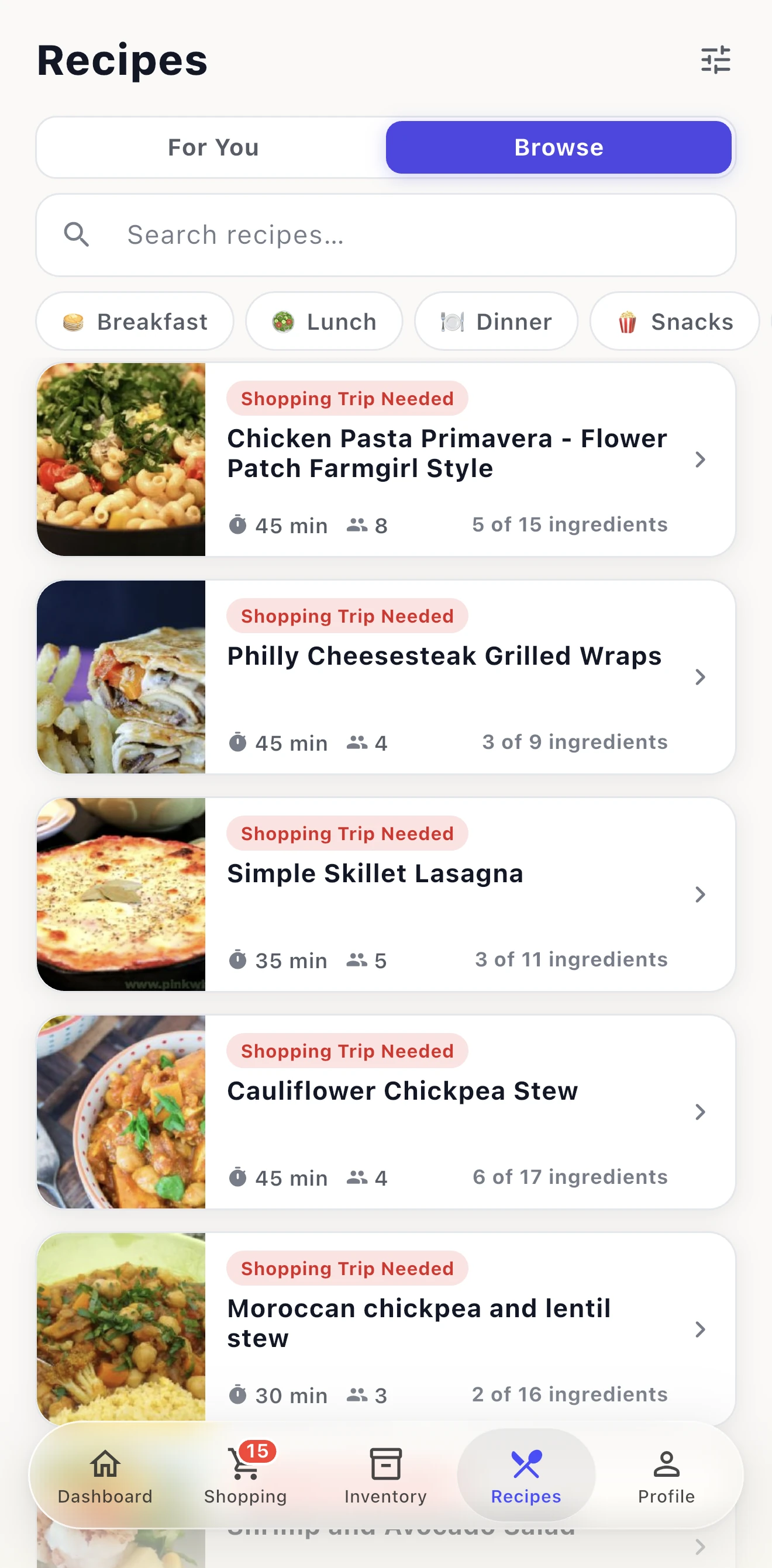
Recipes matched to what's already in your kitchen, with your diet and allergy preferences built in. Each one shows what you have and what you're missing.
Shared shopping lists
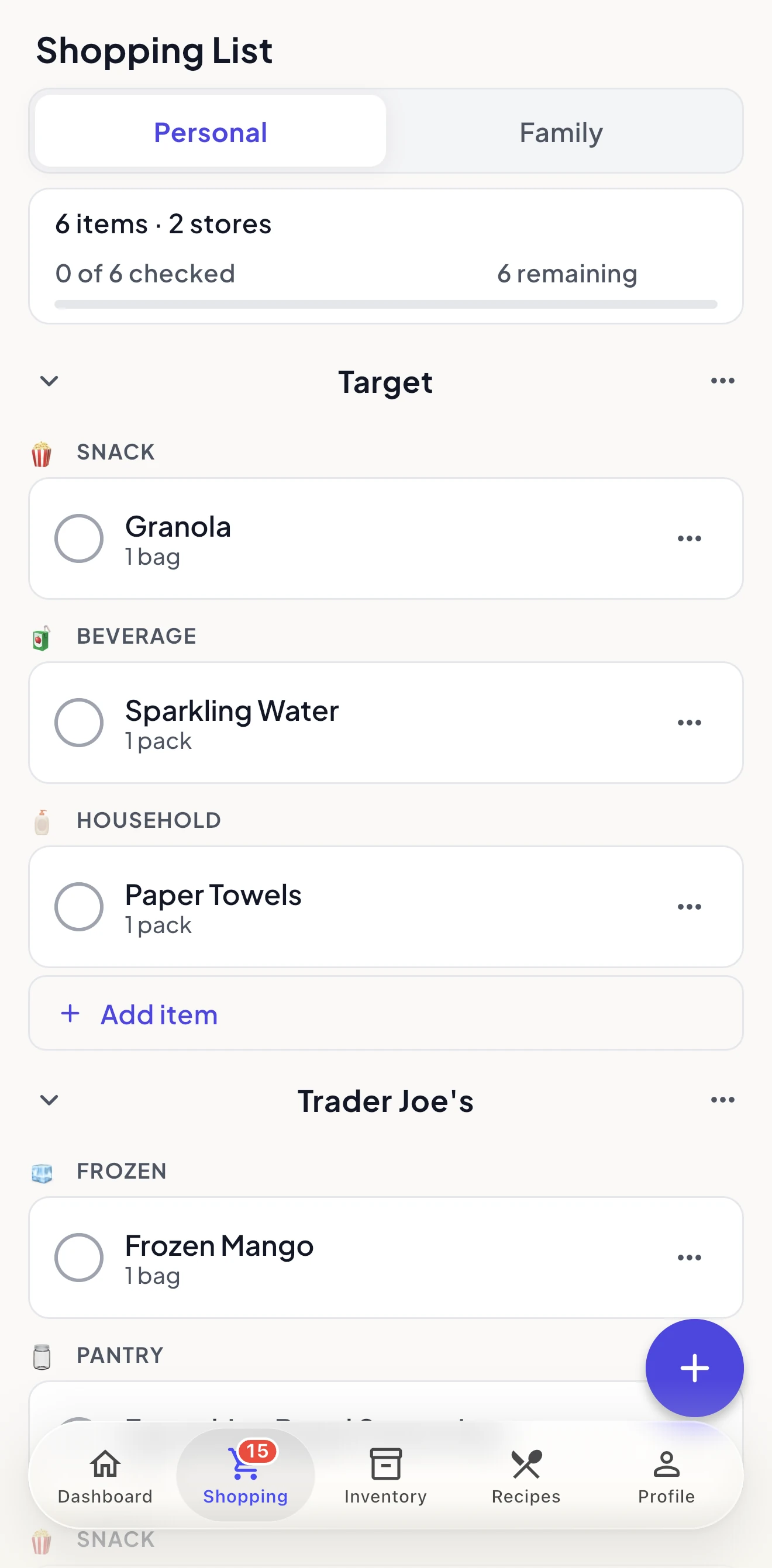
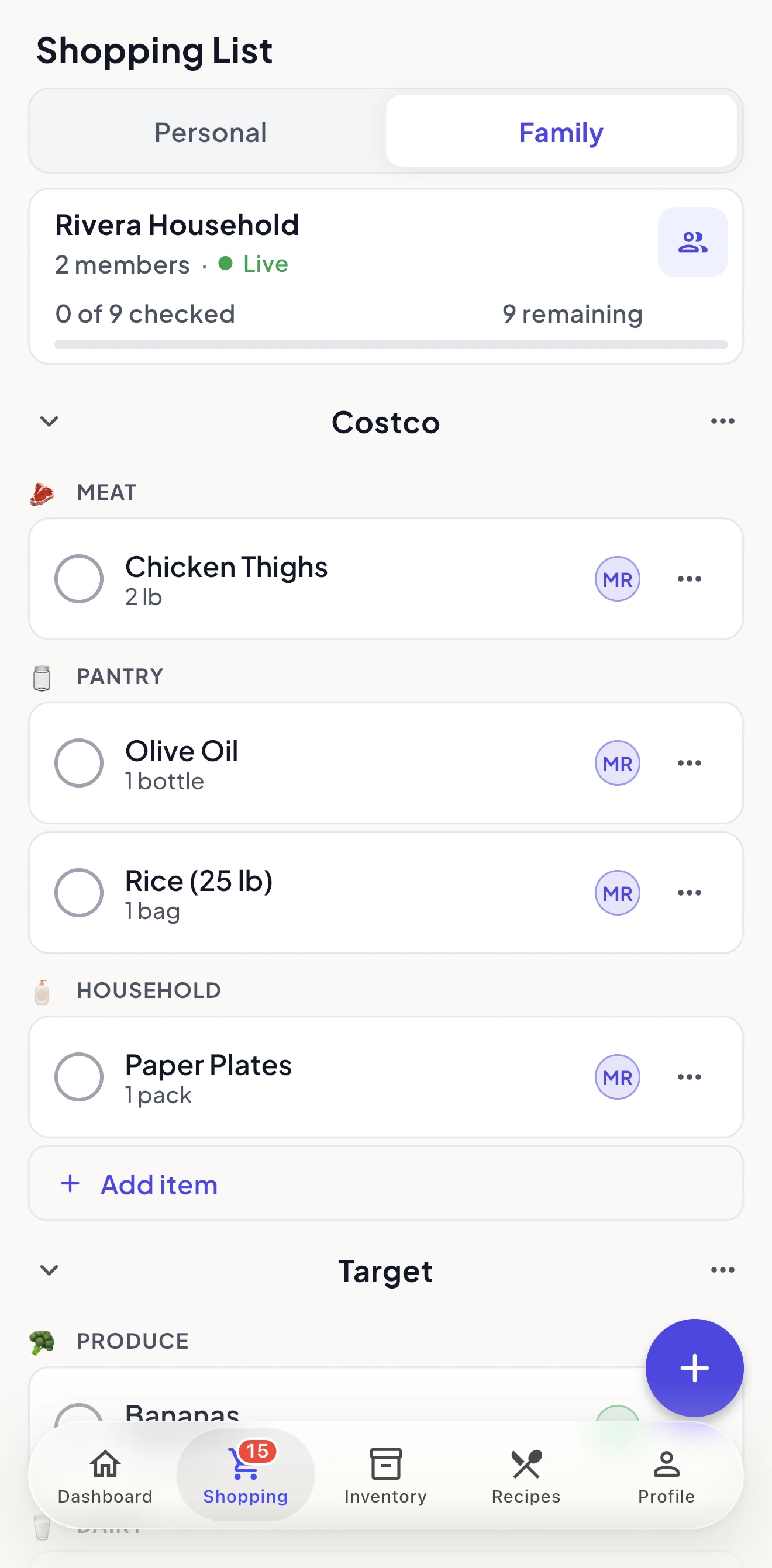
Build lists by hand or from recipe ingredients, organize them by store, and share them with your household. Changes show up live.
Understand your grocery spending
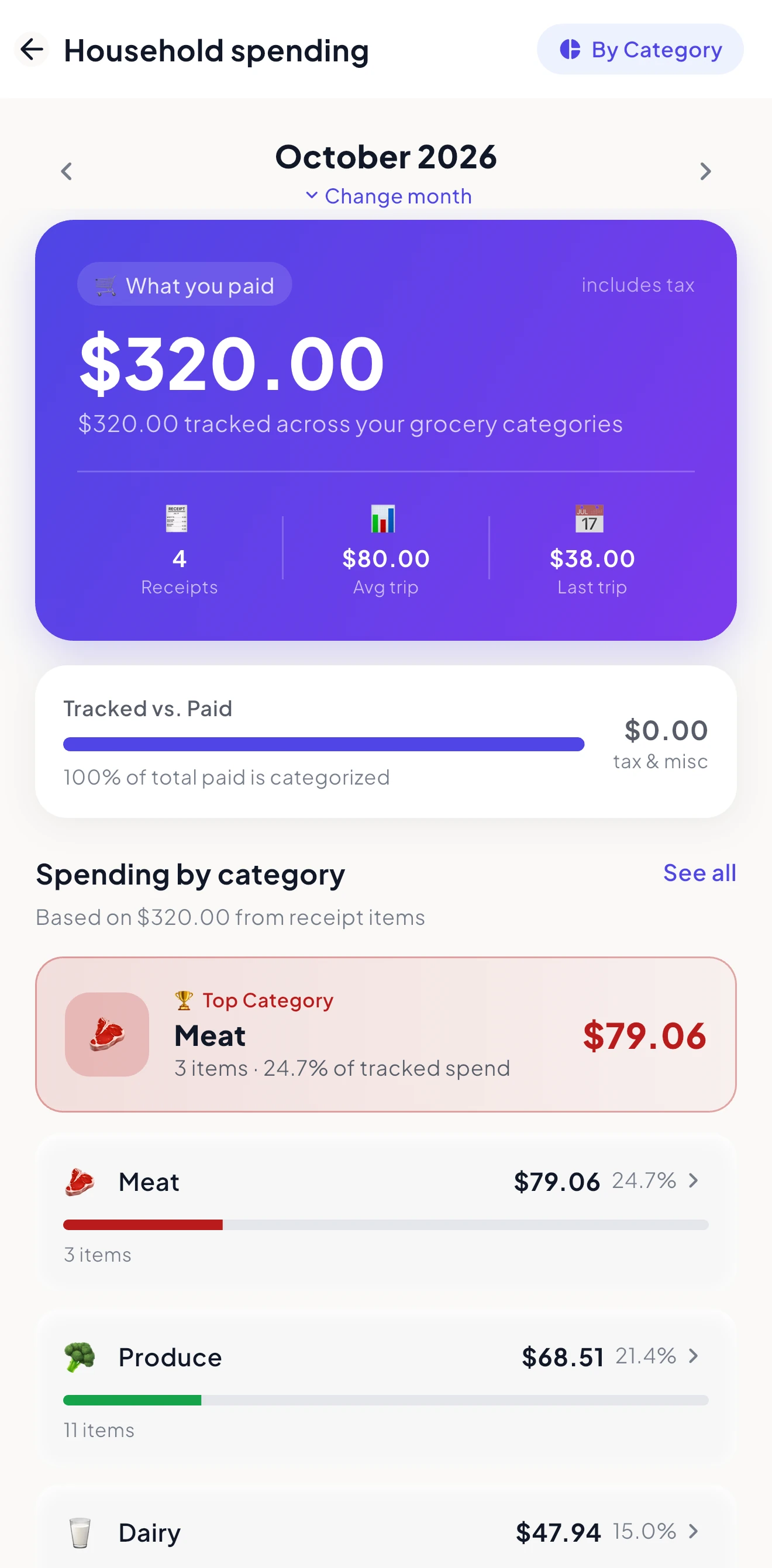
Every receipt line is sorted into a category for you, so you can step through spending month by month and look back through your receipt history.
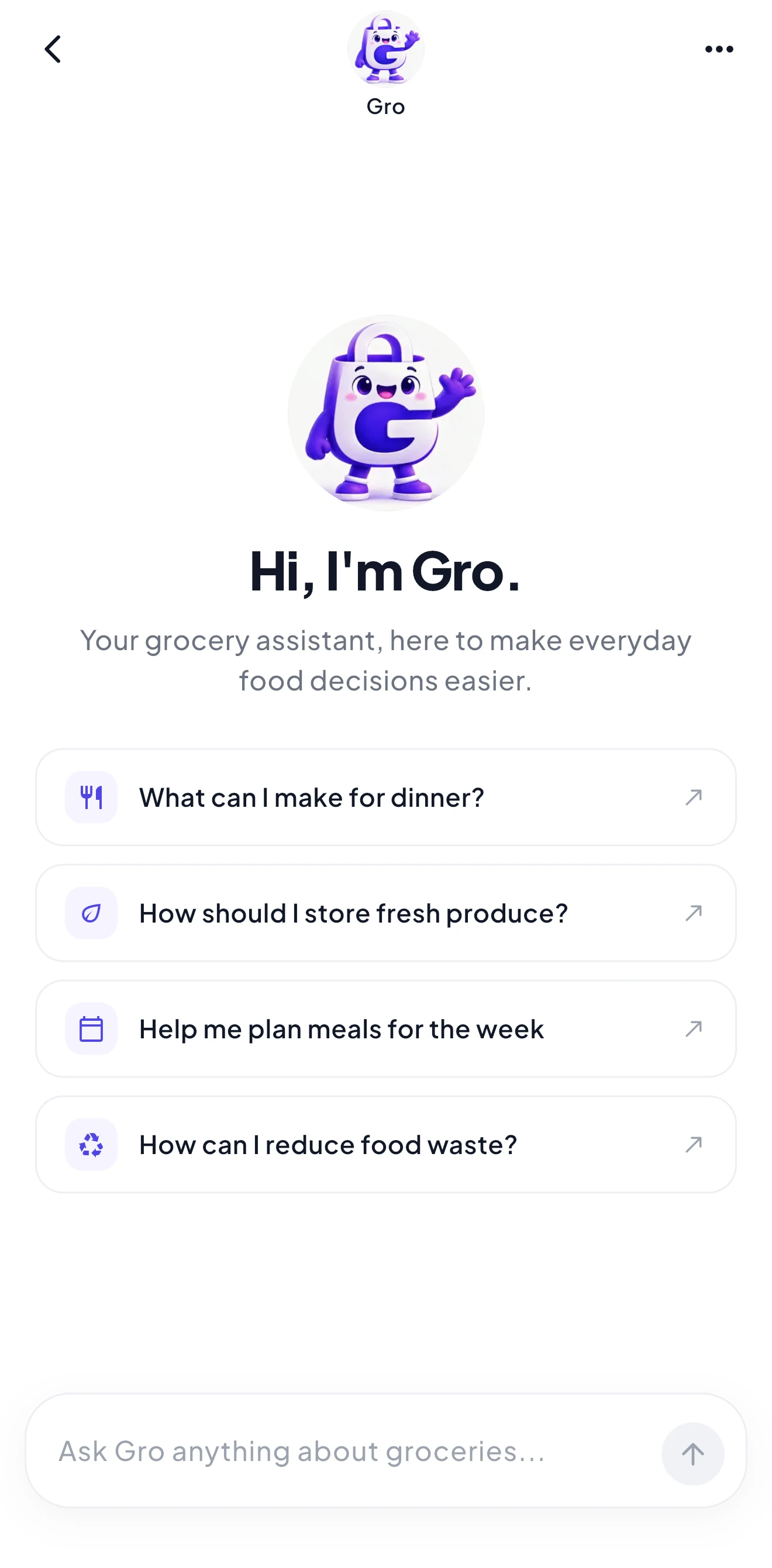
Your AI kitchen assistant.
Gro is the AI built into Grocera. Ask what's expiring, what you can make tonight, or how much you spent this month. Gro looks at your actual pantry, shopping list, and spending to answer, so you get advice about your kitchen, not generic search results.
Try asking
Knows your kitchen
Gro checks your pantry, expiring items, shopping list, and spending whenever your question needs it.
Read-only by design
Gro can look, but it never adds, changes, or deletes anything.
Follows your household's sharing
Gro uses your own data plus whatever your household has chosen to share with you.
Focused on food
Ask about cooking, storage, shopping, and reducing waste. Gro keeps the conversation on groceries.
Add it once. Everyone at home sees it.
When someone in your household adds milk to the list, it shows up for everyone. No more texting lists back and forth or buying the same thing twice.
Updates live
Changes appear for every household member as they happen.
Your own personal list
Keep a separate list for things that are just for you. Personal items are never shared with your household.
You decide who can do what
The household owner chooses what each member can see and edit.
Organized by store
Group items by store so every trip goes faster.
Why Grocera feels different
Most grocery apps help you plan purchases. Grocera helps you manage what you've already bought.
Designed for real grocery routines
Every screen is built around how you actually shop, cook, and manage your kitchen.
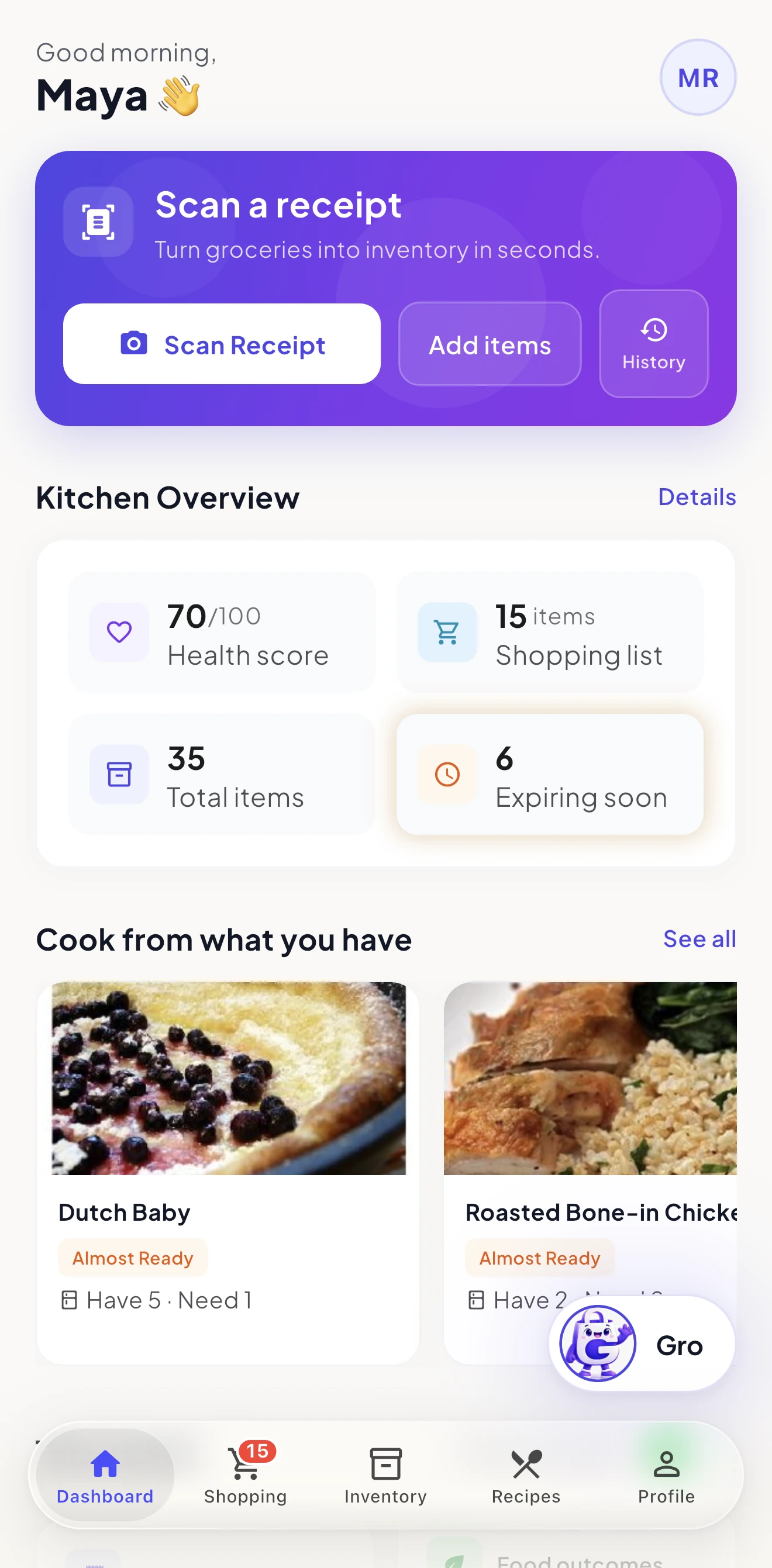
Dashboard
Your kitchen at a glance
Inventory
Everything organized
Recipes
Cook from what you have
Spending
See where your grocery money goes
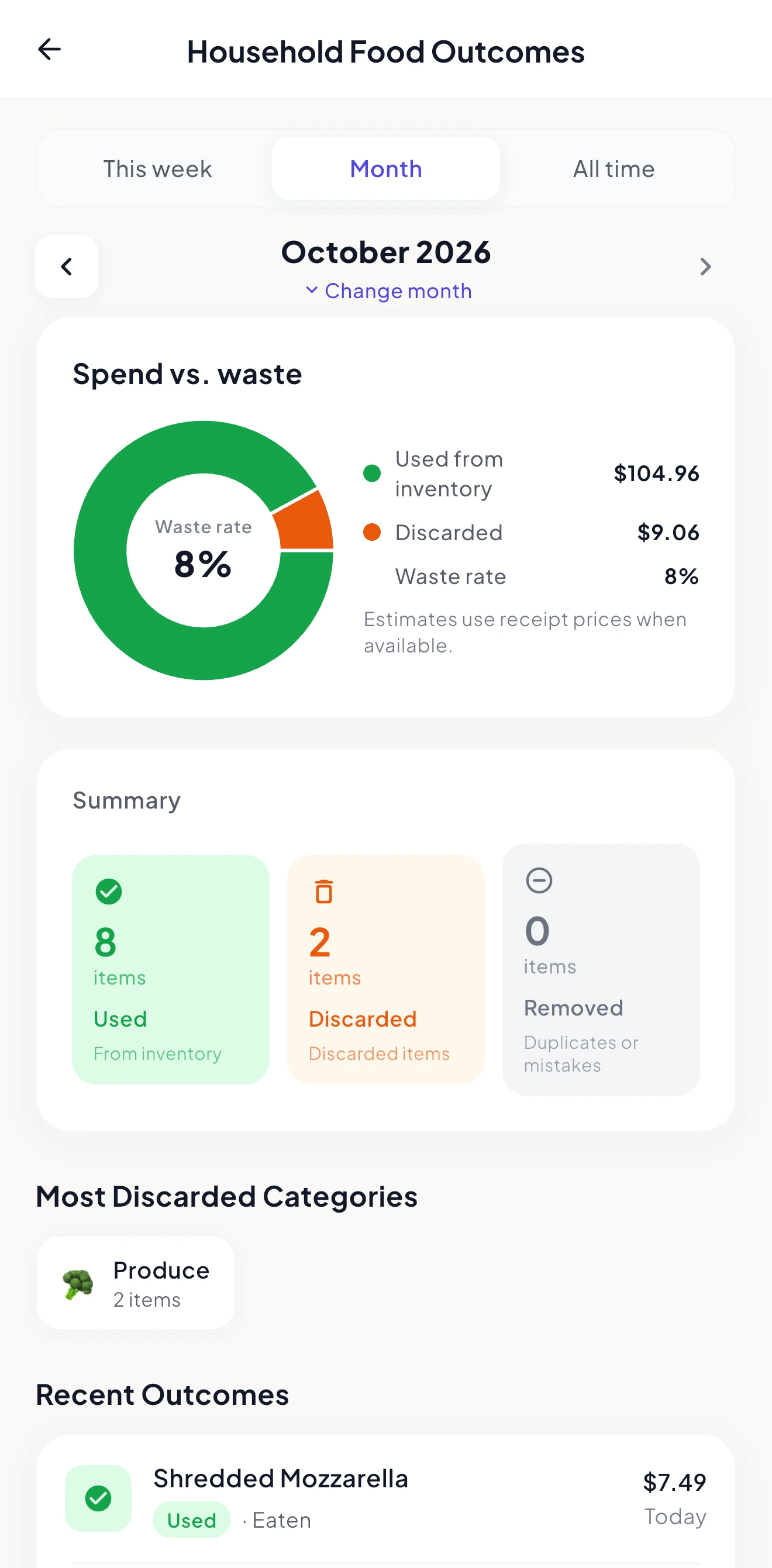
Food Outcomes
Know what you use and what you waste
Screenshots represent the Grocera app experience. UI may evolve during beta.
Real benefits you notice every week
Grocera helps you make better decisions before food gets forgotten, expires, or gets purchased twice.
Stop buying duplicates
Know what's already in your pantry before your next grocery trip.
Catch food before it expires
See upcoming expiration dates and prioritize ingredients that need attention.
Turn groceries into meals
Discover recipes based on ingredients you actually have instead of starting from scratch.
Built with real grocery routines in mind
Grocera is in beta on TestFlight and gets better every week.
Real grocery receipts
Built around the receipts you already get, so you type less.
Active development
New improvements, bug fixes, and feature updates are released continuously during beta.
Feedback-driven
Beta testers' feedback shapes what gets built next.
Help shape Grocera
Grocera's beta is open on iPhone through TestFlight. Sign up to get an invite and try AI receipt scanning, smart pantry tracking, recipes, shared shopping lists, and Gro before public launch.
Join the Beta
Get early access to Grocera on iPhone.
Common questions
Everything you need to know about Grocera and the beta.
Grocera is in beta on iPhone through Apple's TestFlight app. Sign up and we'll email you an invite as spots open.
Take control of your kitchen before your next grocery trip
Join the Grocera beta and be among the first to try the AI-powered way to manage your groceries, pantry, and shopping.